Add, search, import and manage your frequent addresses
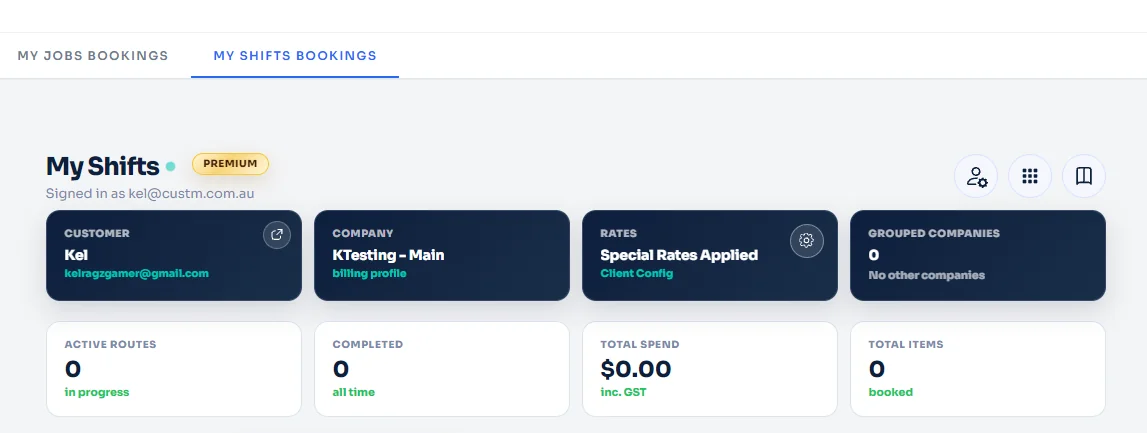
Use the operational controls menu in My Shifts to open Frequent addresses, save a new address profile for future bookings, search your saved addresses, delete old entries, or bulk import addresses with the CSV template.
Save reusable address details on your profile
Frequent addresses help you store commonly used address and contact details so they are easy to access later in your Shifts workflow.
Add one address or import many at once
You can manually save a new frequent address, search the saved list, remove an address you no longer need, or download the CSV template first and use Import CSV for bulk upload.
Before you start
- Be signed in to the correct Shifts customer profile.
- Open the My Shifts dashboard.
- Use the operational controls menu in the top-right area of the page.
What you can save
You can save the full address plus optional company or location details, contact name, email, and phone number. These saved addresses can then be searched, managed, or imported in bulk later.
Open the operational controls menu
From your My Shifts dashboard, look to the top-right of the page and click the menu-style operational controls button.
Select Frequent addresses from the menu
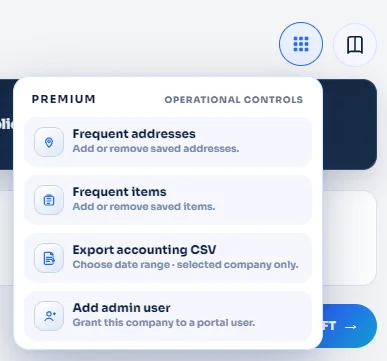
After opening the menu, choose Frequent addresses from the available operational controls.
Add a new frequent address on the left side of the modal
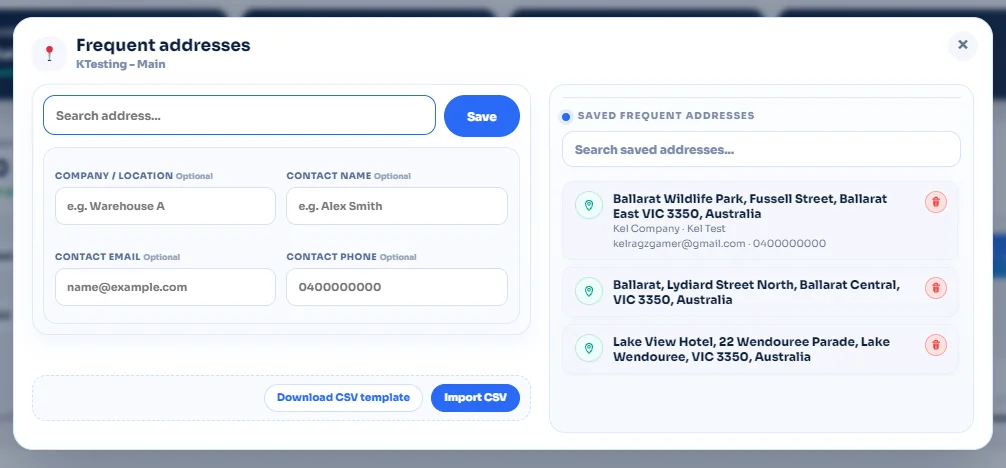
The left side of the Frequent addresses modal is where you add a new saved address for your profile.
View, search, delete, and bulk import your frequent addresses
The right side of the modal shows all of your saved frequent addresses for the current profile. You can use the search field to find a saved address quickly and use the delete action beside an entry when you no longer need it.
Your frequent addresses are ready to manage.
The workflow is complete: open the operational controls menu, select Frequent addresses, save a new address from the left panel, then manage the saved list on the right with search, delete, or CSV import tools.